Creating a new world on a Palworld server offers players a unique and personalized gaming experience by allowing them to shape the environment and gameplay to their preferences. It will enable players to explore different terrains, encounter varied challenges, and foster a sense of ownership in the virtual realm.
How to Create a New World on a Palworld Server
-
Login to the VolticHost Game Panel.
-
Stop the server.

-
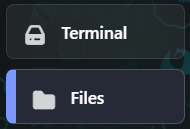
On the left select Files.
-
Find the following directory:
/home/container/Pal/Saved/SaveGames/0.
-
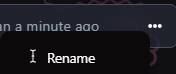
On the right click the 3 dots, then rename the current world to a desired backup name.
-
Start the server. The server will create a new world.

How to Load a World on a Palworld Server
-
Login to the VolticHost Game Panel.
-
Stop the server.

-
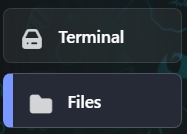
On the left select Files.
-
Find the following directory:
/home/container/Pal/Saved/SaveGames/0.
-
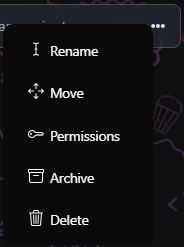
On the right click the 3 dots then rename the current world to a desired backup name.
-
Upload or recover the desired world to load.

-
Find the following directory:
/home/container/Pal/Saved/Config/LinuxServer.
-
Open the
GameUserSettings.inifile.
-
Navigate to the
DedicatedServerName=line.
-
Match the value with the name of the desired world to load from Step 6.

-
Press the Save Content button.

-
Start the server.