Palworld servers have multiple configuration options that can drastically affect the speed and feel of a server. Due to the nature of single-player vs. server saves for Palworld, some settings may not be adjustable normally; however, creative users in the Palworld community have created a workaround that uses a single-player saves options file for configs on a server. This allows certain settings, such as the maximum number of workers per base, to be adjusted beyond their normal maximum.
Note: Make backups locally to avoid losing any necessary files.
How to Change the Server Settings on a Palworld Server
-
Go to the PalworldOptions website.
-
Set any desired server settings. Descriptions for each setting can be found here.

-
Paste the contents of an existing
PalWorldSettings.inifile into the Import Settings menu to use existing settings.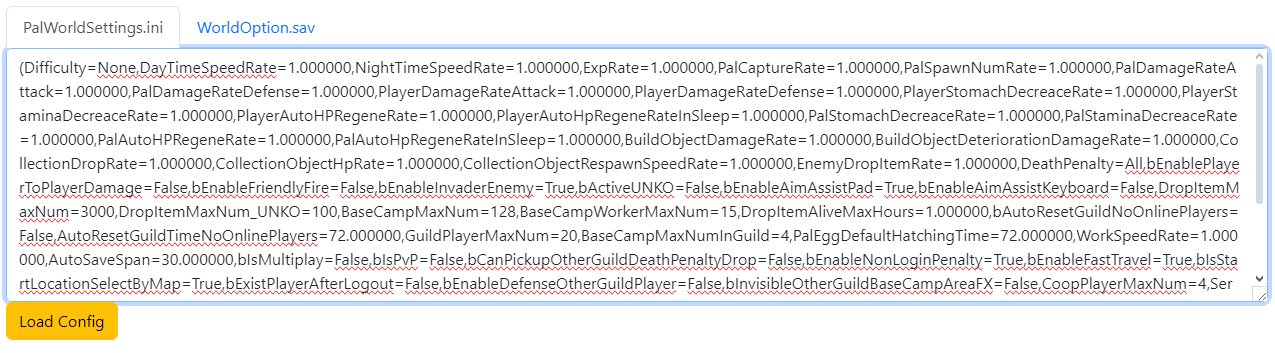
-
After editing, choose Generate WorldOption.sav from the bottom of the page.

-
Login to the VolticHost Game Panel.
-
Stop the server.

-
On the left select Files.
-
Find the following directory:
/Pal/Saved/SaveGames/0and open the world folder.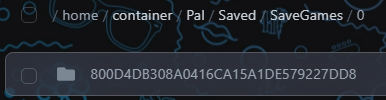
-
Open
Level.sav.
-
On the top right click Upload, then upload the
WorldOptions.savfile.
-
Start the server.