Minecraft resource packs are downloadable files that alter the graphics or visual effects of the game. These packs can change various objects in-game, such as adding new animations or adding more or custom images to paintings. Resource packs are primarily client-side. However, server administrators can require users to possess the packs on their servers, ensuring that everyone has a shared visual experience. Some resource packs can allow users to cheat on servers by revealing ore locations, learn how to prevent XRay here.
How to Add a Resource Pack to a Minecraft Server
-
Upload the resource pack to Dropbox or a similar filesharing service.

-
Copy the direct download link (must end in "d1=1")

-
Confirm that the direct download link ends in "dl=1". If not, change it now.

-
Login to the VolticHost Game Panel.
-
Stop the server.

-
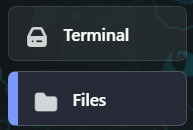
On the left select Files.
-
Open server.properties

-
Find
resource-pack=and paste the link from step 2.
-
To make the resource packs required, change
require-resource-pack=to true.
-
Click Save Content on the top right.

-
Start the server.